
If you need to find your BPAY biller code for Commonwealth Bank, here’s a clear and concise explanation.
What Is a Biller Code?
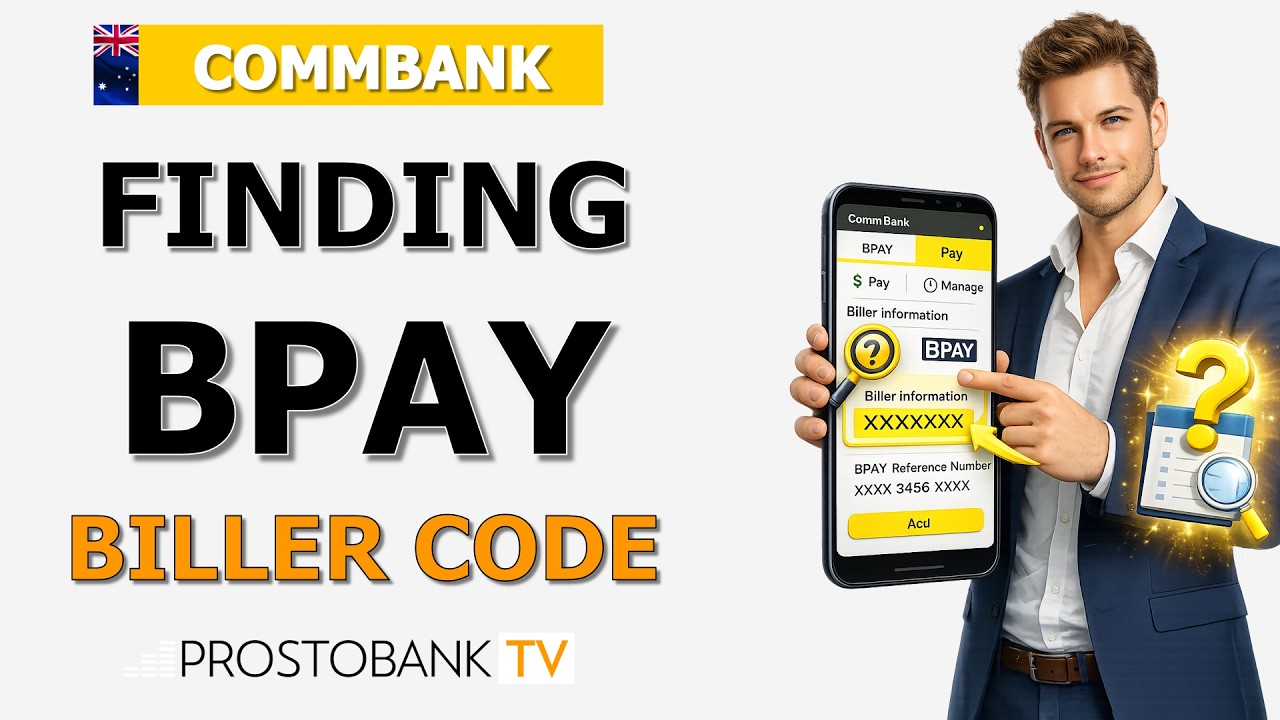
Your biller code in Commonwealth Bank is a unique number by which your counterparty identifies your company when issuing an invoice for goods or services.
Where to Find the Biller Code
You can locate this code on your bill alongside the BPAY logo, typically in the payment options section of the bill (often on the back or second page).
How to Use the Biller Code
When using the CommBank app or NetBank to pay, select “Pay BPAY” or “Add new biller,” then enter the biller code followed by your customer reference number and nickname if required. This ensures the payment is correctly assigned.
Why It Matters
Using the correct biller code and reference number avoids payment errors and ensures your bill is processed on time. Once saved, biller details can be reused for future payments.
Read also:
- EFTPOS error codes for Commonwealth Bank terminals
- How can a firm make a Commbank instant transfer?
- How do I set up direct debit in Commonwealth Bank?
- How to order Commonwealth Bank EFTPOS rolls?
- London branch of Commonwealth Bank address
- Merchant services in CommBank
- What packages from Evolve and CBA can you get?
- What should do a customer if his Commbank EFTPOS machine is not working?
- CBA & Albert EFTPOS offer
Understanding CommBank BPAY Payments
Transferring funds from an external bank account to your Commonwealth Bank (CommBank) credit card or personal loan often requires using the BPAY system. To ensure your money reaches the right destination, you need two crucial pieces of information: the specific CommBank biller code for your product type, and your unique Customer Reference Number (CRN).
Customers frequently experience payment delays when they use a generic biller code instead of the one assigned to their specific card type, or when they mistype their reference number. Knowing exactly where to locate these details on your statements or inside your digital banking profile helps you avoid these routing errors and ensures your repayments clear on time.
Key Information and Requirements
| Category | Details |
|---|---|
| Lookup Methods | CommBank App, NetBank (online), or Paper Statements |
| Standard Clearance Time | Typically 1 to 3 business days for BPAY transfers to process |
| General Biller Codes | Varies by product (e.g., 1818 for standard Mastercard/Visa) |
| Key Requirements | Your exact 16-digit card number or specific loan account number (CRN) |
What Is a Biller Code?
Your biller code in Commonwealth Bank is a unique number by which your counterparty identifies your company when issuing an invoice for goods or services.
Where to Find the Biller Code
You can locate this code on your bill alongside the BPAY logo, typically in the payment options section of the bill (often on the back or second page).
How to Use the Biller Code
When using the CommBank app or NetBank to pay, select “Pay BPAY” or “Add new biller,” then enter the biller code followed by your customer reference number and nickname if required. This ensures the payment is correctly assigned.
Troubleshooting Common Access Errors
NetCode SMS Not Arriving for Statement Download
Cause: You might be experiencing mobile network congestion, or the phone number currently registered to your NetBank profile is outdated.
Fix: Restart your mobile device to refresh the carrier signal, wait a couple of minutes, and tap the prompt to resend the code.
Fallback Action: Call the standard CommBank support line on 13 2221 to verbally verify your identity and request your BPAY details over the phone.
Browser Timing Out While Loading Statements
Cause: Digital banking platforms automatically end inactive sessions to protect your financial data, which frequently occurs if a cached cookie prevents the PDF statement viewer from loading properly.
Fix: Clear your web browser's cache and cookies, open a fresh window, and log back into NetBank to access the document.
Fallback Action: Switch to the CommBank mobile app, as the mobile environment typically bypasses common desktop browser PDF conflicts.
NetBank Profile Temporarily Locked
Cause: Entering an incorrect password or PIN multiple times triggers an automatic security freeze to prevent unauthorized access to your account details.
Fix: Wait 15 minutes for the temporary soft lock to clear naturally, then use the "Forgot Password" feature with your linked debit card details.
Fallback Action: Visit your nearest CommBank branch with physical photo identification so a teller can manually unlock your profile and print your biller details.
Pro-Tip: When setting up the payment in your external bank's app, save the CommBank BPAY biller code and your CRN to your digital address book. This practical habit prevents typographical errors during future transactions and speeds up your monthly repayment process.
Frequently Asked Questions
Why hasn't my BPAY payment shown up on my CommBank credit card yet?
When you initiate a BPAY transfer from a non-CommBank account, the funds must travel through external electronic clearing systems. While internal CommBank-to-CommBank transfers clear almost immediately, external BPAY payments typically take between one to three business days to fully process. A key limitation to remember is that weekends and public holidays pause these clearing networks. What this means in practice is a payment sent late on a Friday evening might not appear on your CommBank credit card until the following Tuesday or Wednesday. If three full business days have passed, your practical next step is to call your sending bank to request a BPAY trace using your receipt number.
Can I use my 16-digit credit card number as my BPAY reference?
Customers often wonder what number to use if they cannot download a formal statement. For CommBank credit cards, the internal routing logic dictates that your Customer Reference Number (CRN) for BPAY is generally your exact 16-digit credit card number. However, this rule does not apply to personal or home loans, which have specific, separate reference numbers assigned at the time the loan is opened. If you are paying a standard Mastercard or Visa credit card, you can typically use the 16 digits on the front of the plastic. If you are paying a loan, you must check your contract or statement to find the correct CRN to avoid the payment bouncing back.
What happens if I enter the wrong CommBank Biller Code?
Typing errors happen, and sometimes customers use the code for a CommBank personal loan when trying to pay their credit card. If you use a valid CommBank Biller Code but attach it to a mismatched reference number, the bank's automated receiving system will usually reject the transaction because the numbers do not align. The funds typically bounce back to your original external bank account within a few business days. If you notice a mistake immediately after hitting send, you cannot cancel a BPAY transfer digitally. Your most practical step is to phone the bank you sent the money from immediately and ask their fraud or payment team to attempt a manual recall of the funds.